
Start with requirements
Before production begins, the project team should agree on the purpose of the model.
A model created for existing-condition documentation may require a different level of detail from one intended for coordination, renovation design, fabrication planning or asset management. Without a defined use, teams can spend time modeling information that provides little value-or omit information needed later.
The initial requirements should establish:
- Areas and buildings included in the scope
- Required disciplines: architectural, structural, mechanical, electrical or plumbing
- Model purpose and intended downstream use
- Required Level of Development and Level of Information
- Elements to include, simplify or exclude
- Revit version, templates and family requirements
- Naming, workset and model-structure standards
- Coordinate system and project base-point requirements
- Expected modeling tolerance
- Required views, sheets and deliverable formats
- Milestones, review stages and submission dates
The modeling tolerance should be stated separately from the required level of detail. A highly detailed model is not automatically a highly accurate model. The achievable accuracy depends on scan quality, registration, site access and the visibility of the elements being modeled.
Where requirements are unclear, they should be recorded and resolved before production-not left for the modeler to interpret independently.
Point clouds and reference data
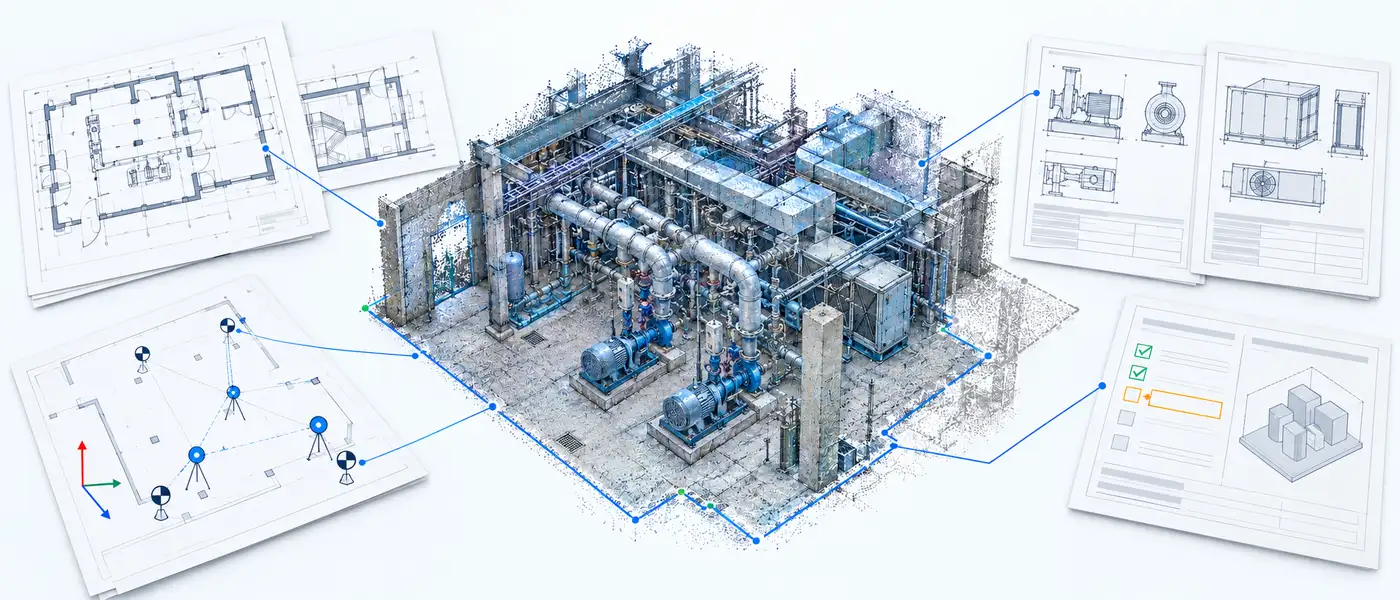
The point-cloud package should be complete, organized and accompanied by enough information to understand how the data was captured and registered.
Where available, provide:
- Registered point-cloud files in an agreed format
- Registration or quality report
- Survey control and coordinate information
- Individual scan locations or structured scan data
- Site photographs and panoramic imagery
- Area names, floor levels and building references
- Notes identifying inaccessible or unscanned areas
- Information about known movement or changes since scanning
Before modeling starts, the point cloud should be checked for alignment, coverage, scale, orientation and coordinate consistency. Misaligned scans or incorrect coordinates can affect the entire model even when individual elements appear to have been modeled carefully.
Reference information should also be included where available:
- Existing drawings and record documents
- Previous BIM or CAD models
- Equipment schedules and submittals
- Manufacturer information
- Room and asset lists
- Site notes and marked-up drawings
- Photographs of concealed or difficult-to-read conditions
Existing drawings should be treated as reference information unless their accuracy has been verified. When drawings and scan data disagree, the discrepancy should be documented and raised for clarification.
A point cloud only records what the scanner could see. Elements may be hidden above ceilings, behind walls, inside equipment or beneath insulation. Reflective surfaces, movement, restricted access and limited scan positions can also produce gaps or noise.
These conditions should not be filled with unsupported assumptions. Missing or uncertain information should be recorded in a requirements or assumptions register and clearly communicated to the project team.
Takeaways
Define the model’s purpose before defining its detail.
The intended use should determine what is modeled, how accurately it is represented and which information is attached to it.
Provide scan data with its supporting context.
Registration information, coordinates, photographs, drawings and site notes help the modeling team interpret the point cloud correctly.
Document gaps instead of guessing.
Unscanned, concealed or unclear conditions should be identified and raised rather than represented as verified existing conditions.
Confirm standards before production begins.
Revit version, coordinates, naming, model structure, tolerance and deliverables should be agreed before significant modeling work starts.
A well-prepared input package reduces avoidable clarification, rework and inconsistency. More importantly, it gives the project team a shared understanding of what the completed model will-and will not-represent.
Facing this on a project? Get a scoped quote.

Prashant Andani, Founder
Hands-on BIM/VDC delivery across infrastructure and building projects.
LinkedIn